

One Platform. Every Newsroom. Every Niche.
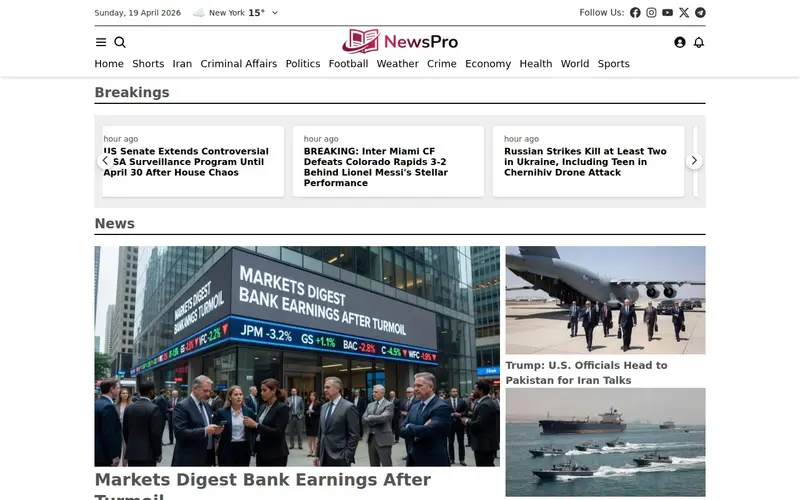
When we launched NewsPro, we built it around a single, flexible default template — clean, responsive, and endlessly customizable. It served thousands of publishers well. But as the NewsPro community grew, something became clear: a food blogger, a sports broadcaster, a financial analyst, and an investigative journalist all need fundamentally different homepages. A one-size-fits-all design, no matter how polished, was holding creators back.
Today we're shipping the answer. NewsPro 3.1.0 introduces 29 brand-new templates — bringing the total to 30 — each purpose-built for a specific publishing niche. This is the largest design release in NewsPro's history, and it fundamentally changes what you can build on the platform.
Why This Release Matters
Modern readers don't arrive at a sports site expecting serif typography and cream backgrounds. They don't visit a literary journal expecting live tickers and scoreboard widgets. The visual language of a publication is part of its editorial voice — and until now, NewsPro publishers who wanted that specialized look had to commission custom work or compromise on a generic design.
With 3.1.0, every niche gets a first-class, production-ready template out of the box. Switch templates with a single click in the dashboard. Your articles, categories, users, media library, comments, and analytics stay exactly where they are — only the presentation layer changes. No migrations. No data loss. No downtime.
General News & Editorial
Whether you're running a traditional newspaper, a breaking news desk, a premium magazine, or a long-form literary journal, the general news family covers the full editorial spectrum — from fast-breaking urgency to considered, bound-book prose.
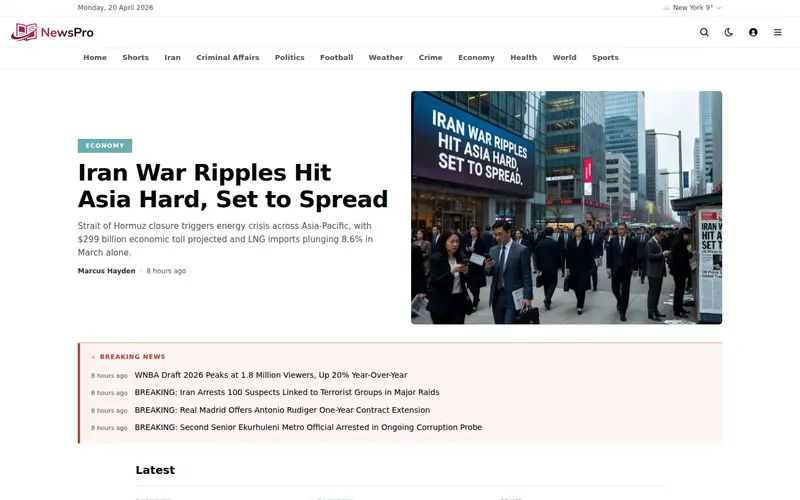
- Default — The original NewsPro template. Clean, responsive, customizable, and battle-tested over four years of production use.
- Starter — Modern newspaper broadsheet. Text-dominant hero, CSS-column digest, slide-out drawer navigation. For publishers who want the authority of a print newspaper online.
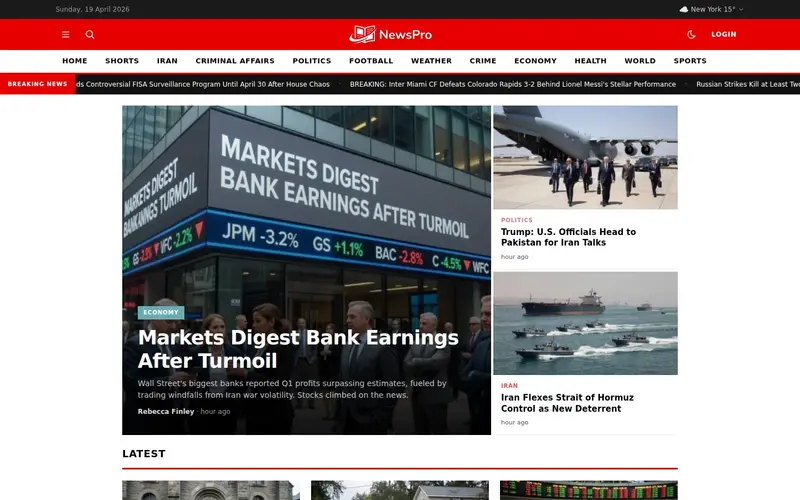
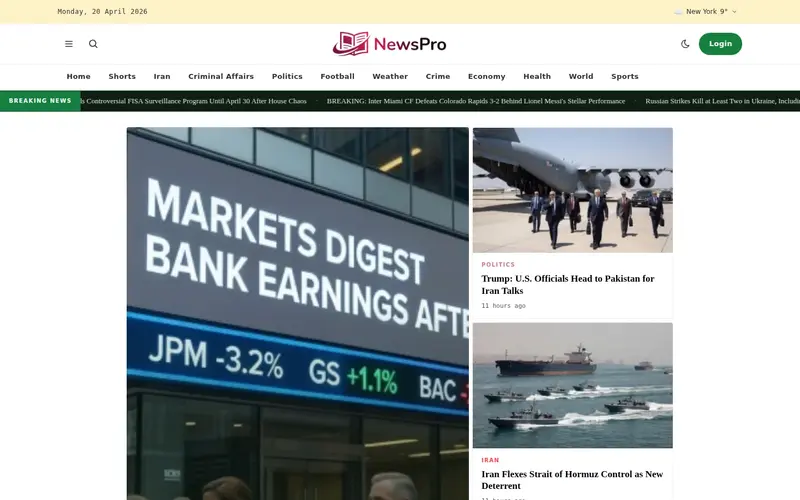
- Flash — CNN-inspired breaking news design. Red accent header, horizontal category bar, large hero with side panel, video-forward shorts. Built for speed and urgency.
- Horizon — Premium magazine aesthetic. Dark blue accent, full-width hero, masonry article grid, cinematic shorts, elegant typography.
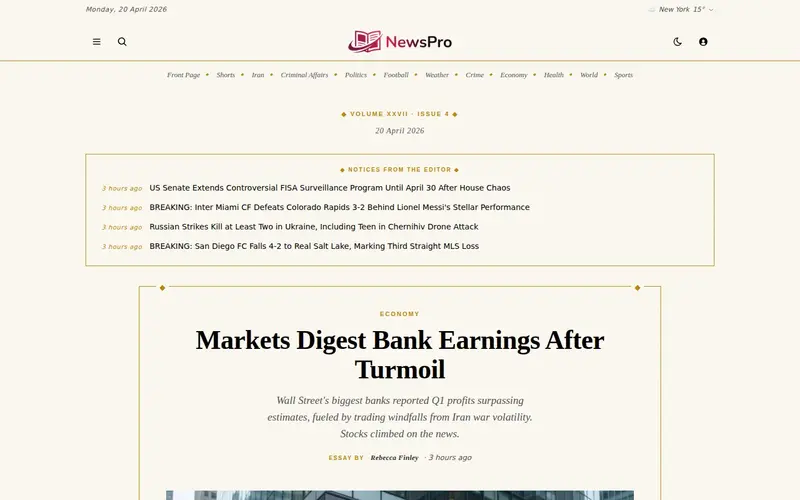
- Chronicle — Literary journal with bound-book aesthetics. Cream paper, antique gold ornaments, drop caps, ornate dividers. For publications with a Paris Review or New Yorker sensibility.
- Origin — Long-form intellectual journal. Austere serif-heavy typography, text-first layout, narrow measure. Built for ideas, not images.
Sports, Gaming & Automotive
High-energy verticals demand high-energy design. The sports family ships with scoreboard-style heroes, live-ticker metadata, racing-inspired aesthetics, and the bold condensed typography that readers of ESPN, Sky Sports, and the motoring press already expect.
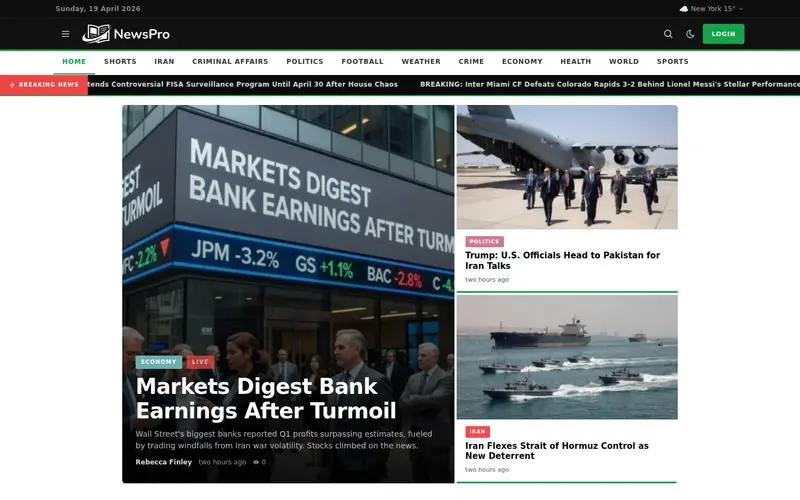
- Arena — ESPN and Sky Sports inspired. Grass-green accent, bold condensed fonts, LIVE badges, scoreboard-style hero. The definitive sports news template.
- Ignite — Sports and gaming crossover. Energetic fire palette, angular shapes, live-ticker metadata, modern esports energy.
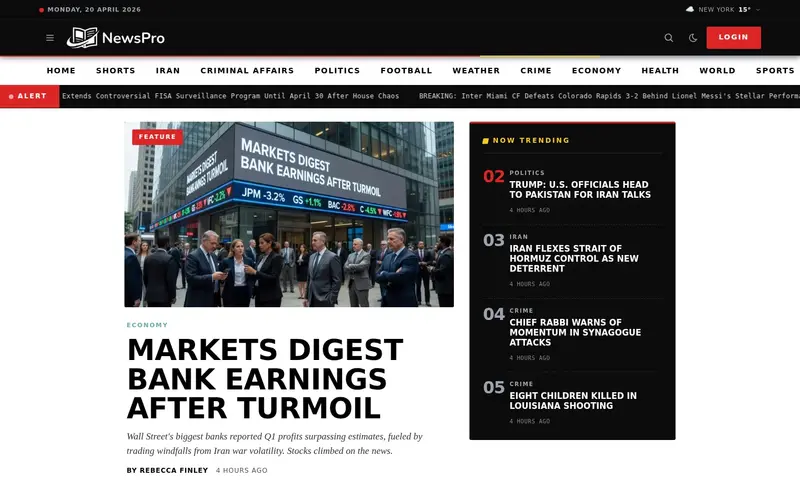
- Voyager — Automotive and adventure gear. Racing-black anchor, brake-light red accents, chrome neutrals, condensed typography, odometer-inspired numerics, spec-sheet layouts.
Business, Finance & Technology
Data-forward publications need data-forward design. This family spans old-guard financial serifs, modern newsletter cards, and the futuristic gradients of AI, crypto, and web3 reporting — all built to carry tables, charts, and dense metadata without losing readability.
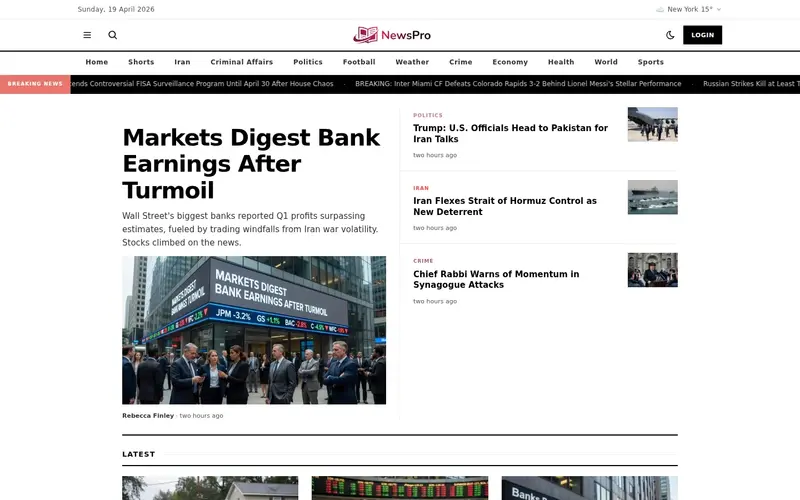
- Ledger — Bloomberg and Financial Times inspired. Salmon-pink accent, serif typography, tabular grid layout. Professional and data-dense.
- Quarter — Axios and Morning Brew style business briefings. Electric blue, rounded cards, smart-bullet takeaways, friendly sans-serif. Newsletter-native.
- Byte — Technology news. Neon green accent, modern gradients, dark-first design. Built for product launches and dev news.
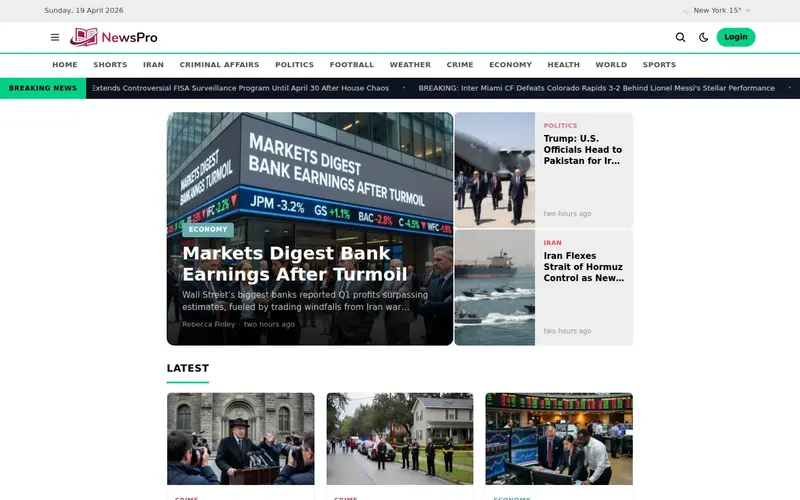
- Pulse — Tech-startup insider. Dark-first, indigo-to-cyan gradients, sans-serif/monospace hybrid. Made for founders and VCs.
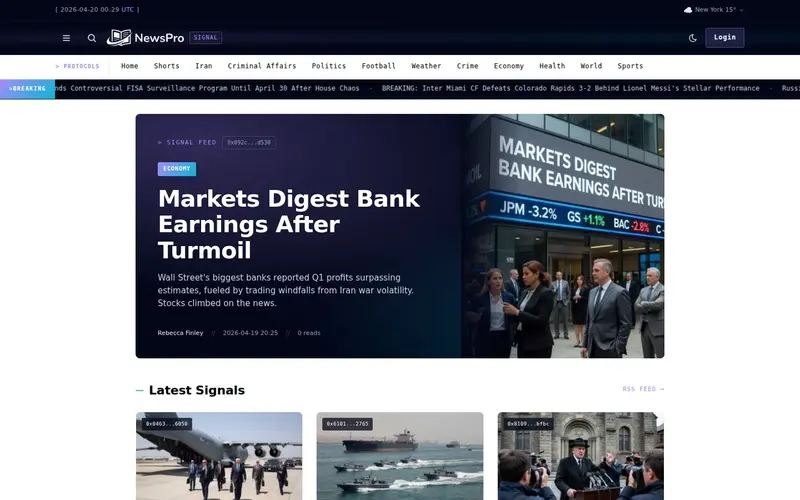
- Signal — AI, crypto, and web3 insider publication. Dark space palette with holographic violet-to-cyan gradients, monospace data chips, terminal-glow hovers.
Health, Science & Environment
Trust-sensitive verticals demand calm, credible design — never clickbait. This family ships with the soft palettes, generous whitespace, and restrained typography that health, climate, and wellness readers expect from publications they rely on.
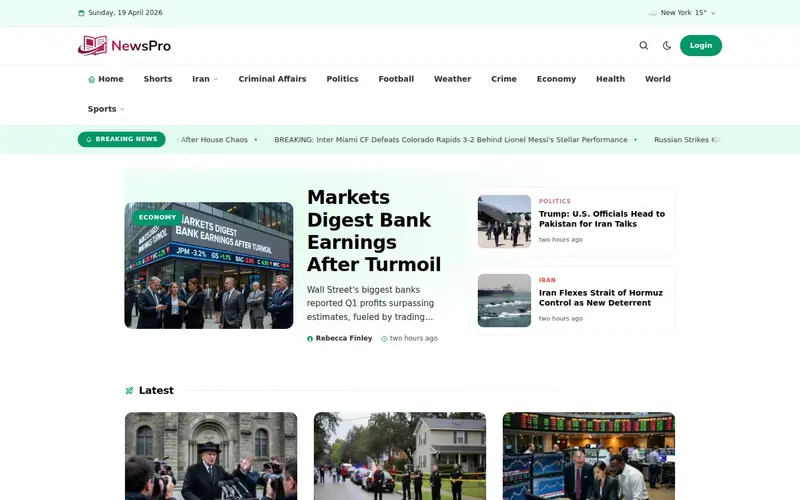
- Vita — WebMD and Nature inspired health and science. Clean, trustworthy, calming. Soft green accent, generous whitespace, desktop dropdowns.
- Verdant — Environment and climate science. Forest-green palette, serif-sans hybrid typography, data-visualization-friendly layouts.
- Tonic — Energetic wellness publication. Coral plus teal palette, bold motivational typography, activity badges, rounded-medium cards.
Food & Lifestyle
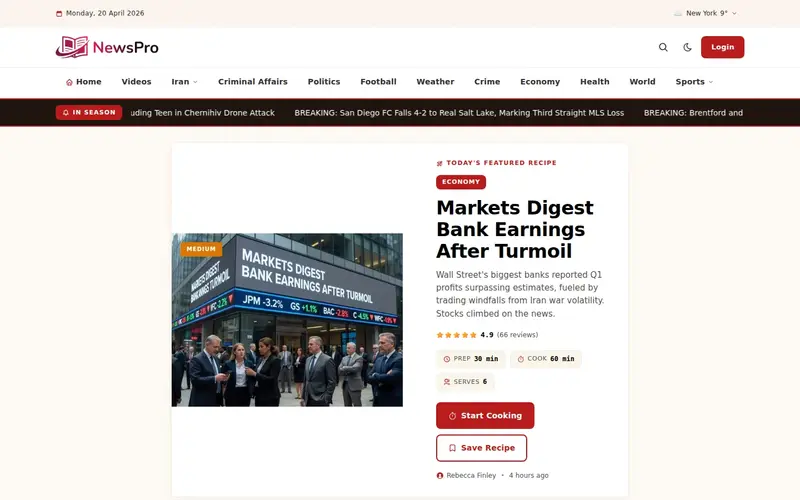
Image-forward publications need layouts where photography can breathe. Whether it's a structured recipe card, a travel essay, a family-lifestyle stream, or a glossy food magazine, this family gives visual content the stage it deserves.
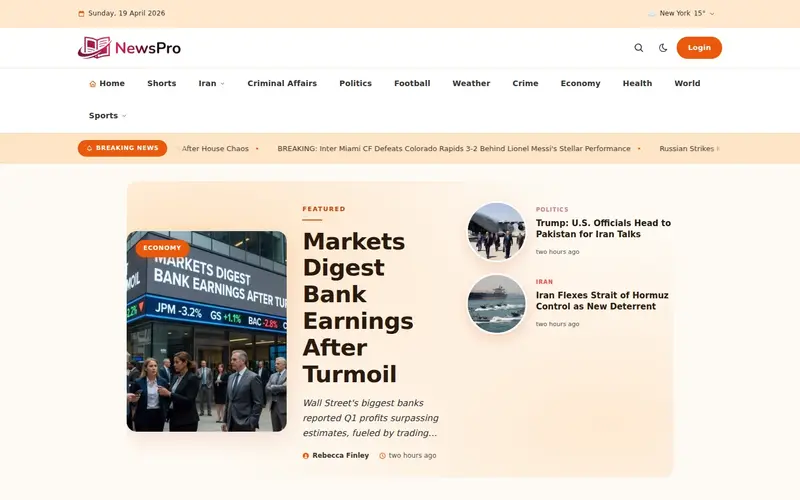
- Saveur — Bon Appétit and Tasty inspired food and lifestyle. Warm orange accent, elegant serif typography, magazine grid with varied aspect ratios and circular images.
- Kitchen — Practical recipe and how-to cooking. NYT Cooking and Food52 style with structured recipe cards, cook-time badges, servings, dietary tags, ingredient checklists, numbered steps.
- Coastal — Travel and lifestyle magazine. Image-forward, ocean-teal palette with coral accents, warm serif display.
- Bloom — Parenting and family lifestyle. Dusty rose plus sage palette, rounded geometric sans, generous 17px body type, age-group pills, newsletter-style stream.
Politics, Investigation & Community
Serious journalism communicates seriousness through design. This family ranges from the navy-and-red gravitas of political coverage to the case-file aesthetics of investigative reporting, the civic warmth of hyperlocal news, and the diplomatic restraint of international affairs.
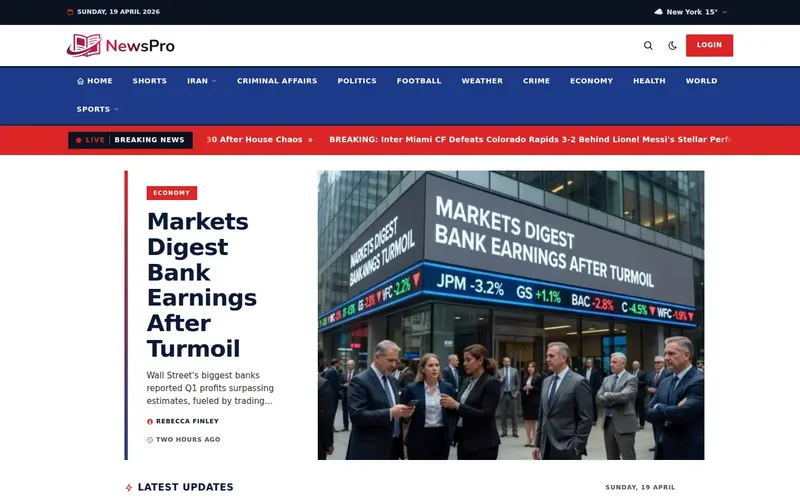
- Capitol — Politico and The Hill inspired politics. Deep navy plus alert red, ultra-bold headlines, prominent red breaking bar, event timeline, dense 4-column grid.
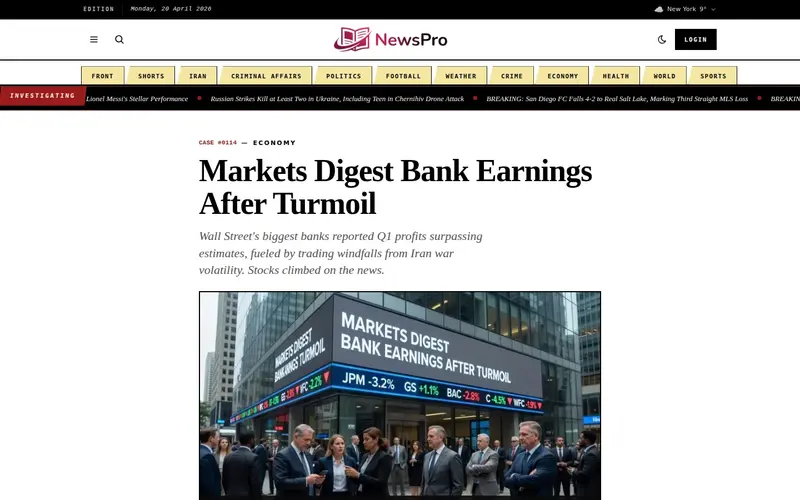
- Veritas — Investigative and true-crime journalism. Ink-black on manila-folder palette with classified-stamp red accents, CASE# kickers, timeline dividers, evidence-label badges, serif narrative typography.
- Harbor — Hyperlocal community news. Navy plus mustard civic palette, friendly sans-serif, map-style metadata, neighborhood-tag emphasis.
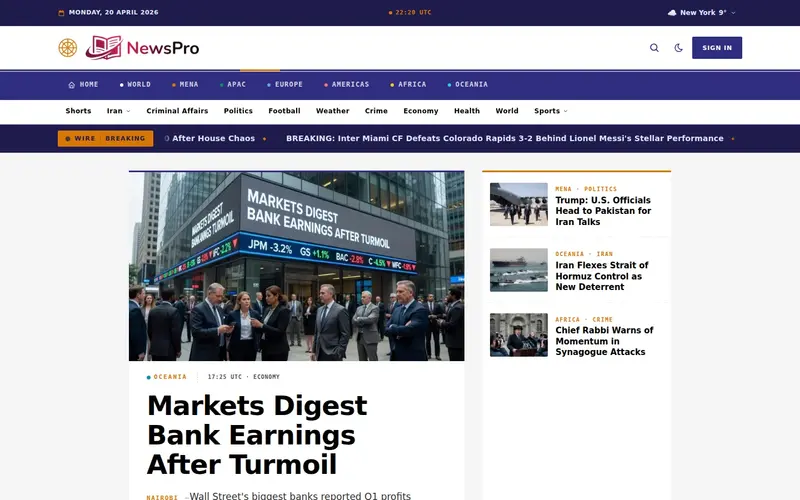
- Meridian — International and foreign affairs. Deep indigo plus compass gold palette, region-first navigation (MENA, APAC, EU, Americas, Africa), dateline-first articles, UTC mono timestamps, diplomatic gravity.
Culture, Arts & Faith
Culture publications live and die by mood. This family spans the asymmetric drama of art and fashion, the gallery-first restraint of photography, the album-cover energy of music criticism, the classical gravity of spiritual writing, and the academic authority of education journalism.
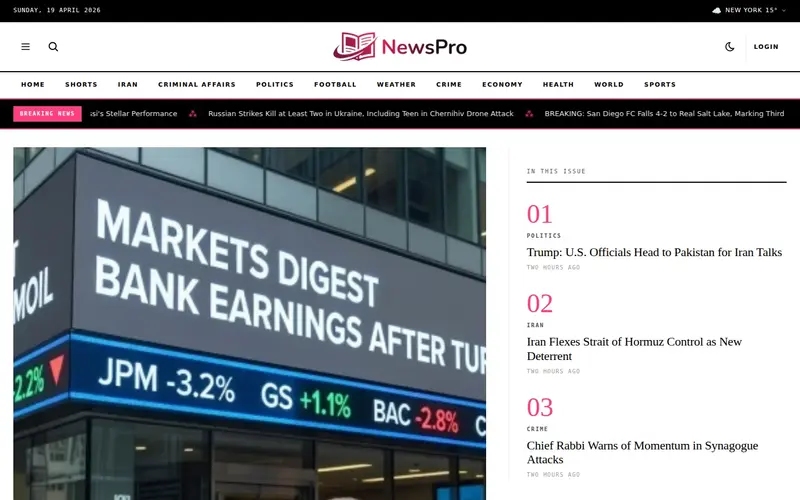
- Atelier — Art, design and fashion magazine. Dramatic typography, asymmetric layouts, high-contrast editorial mood.
- Muse — Music and culture publication. Dark-first album-cover energy, heavy display typography, bold color splash accent.
- Canvas — Photography and visual essay publication. Dark-first gallery-centric layout, contact-sheet grids, museum-label typography.
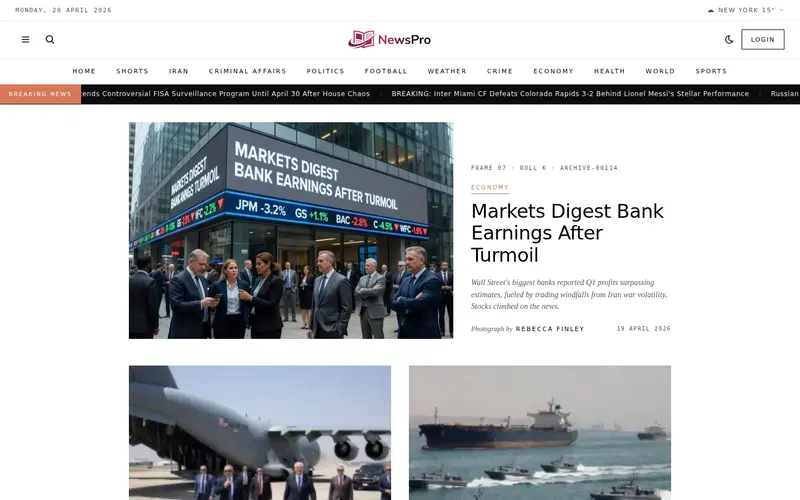
- Pantheon — Spiritual and religious publication. Midnight-blue and aged-gold palette, Latin kicker eyebrows, framed scripture quotes, Roman-numeral daily reflections, classical serif typography.
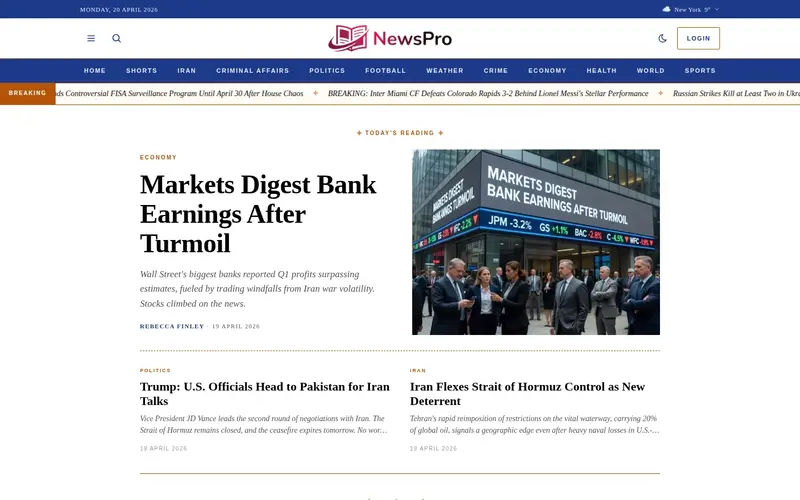
- Beacon — Education and EdTech academic publication. Navy plus scholar gold palette, serif body with sans display, syllabus TOCs, citation boxes, discipline tags, credentials-forward bylines.
Built on a Shared Foundation
Every one of the 29 new templates is built on NewsPro's shared infrastructure. That means every template inherits — automatically — all the features you already depend on:
- RTL and LTR support, with correct mirroring across all 97 supported languages
- Dark mode via CSS color variables — no per-template dark styling required
- Full integration with the article editor, media library, categories, authors, comments, likes, and saved-articles systems
- SEO-ready: structured data, Open Graph tags, Twitter cards, and XML sitemaps generated per-page
- PWA manifest, service worker, and web-push notifications
- Built-in support for breaking news, shorts (short-form video), author pages, tag pages, search, and static pages
- Shared
_shared/loaders/*data fetchers so every template queries the database identically — consistent behavior, one audit surface
In other words: switching templates doesn't mean losing features. It means re-skinning every pixel while keeping every capability.
Pairing the Right Template with Your Audience
Choosing a template isn't only an aesthetic decision — it's a positioning decision. A few examples of how the new templates map to real publisher archetypes:
- The local newsroom — Harbor, with its civic palette and neighborhood-tag emphasis, signals "we cover your community" more effectively than any generic design.
- The independent sports analyst — Arena's scoreboard-hero and LIVE badges immediately establish credibility against ESPN-sized competitors.
- The niche recipe site — Kitchen's cook-time badges, dietary tags, and numbered steps don't just look better — they're discoverable through Google's recipe-rich-snippet features.
- The substack-style business writer — Quarter's bullet-takeaway cards and newsletter-native layout match the "briefing" format readers now expect.
- The longform literary publication — Chronicle's drop caps, cream paper, and ornate dividers communicate "this is careful, considered writing" before a reader finishes the first headline.
- The investigative outlet — Veritas's case-file palette and evidence-label badges signal serious journalism at a glance.
How to Switch Templates
Switching to any of the new templates takes under a minute:
- Open your NewsPro dashboard and navigate to Templates.
- Browse the grid. Every template shows a live thumbnail and a short description of its design philosophy and ideal use case.
- Click any template card to preview it against your real content.
- Click Activate. Your site switches instantly — no cache to clear, no config to edit.
Don't like it? Switch back just as quickly. Your data never moves.
What's Next
Version 3.1.0 is the beginning, not the end, of NewsPro's template expansion. Based on community feedback and early-access user testing, more templates are already in development — including designs for podcast-first publications, newsletter-only sites, and specialized B2B trade press. If your niche isn't represented yet, let us know. We read every request.
In the meantime: explore the 30 templates, pick the one that fits your editorial voice, and see what your publication looks like when the design finally matches the mission.
Get Started
NewsPro 3.1.0 is live today for all customers. Existing sites retain their current template — switching is entirely opt-in. New sites created today can pick any template during onboarding.
See example sites built on the new templates, or start a free trial to explore all 30 designs inside your own dashboard.


